
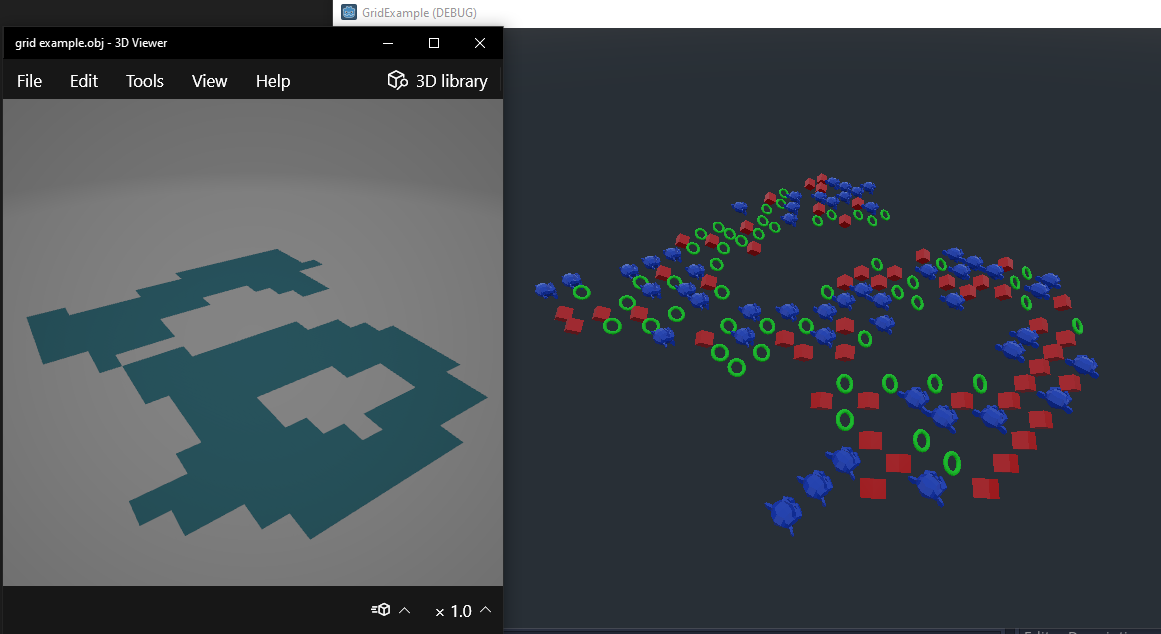
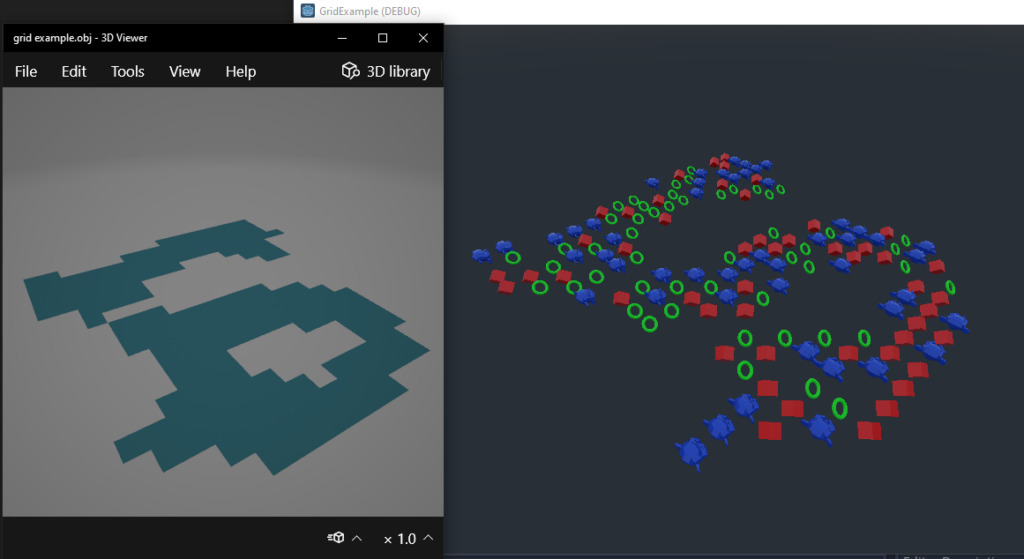
We will create a obj file as a grid reference. After we’ll fill it with meshes.
Create grid obj file
- Create a plane
- Subdivide it
- Remove unwanted faces
- Split faces
- Save obj file
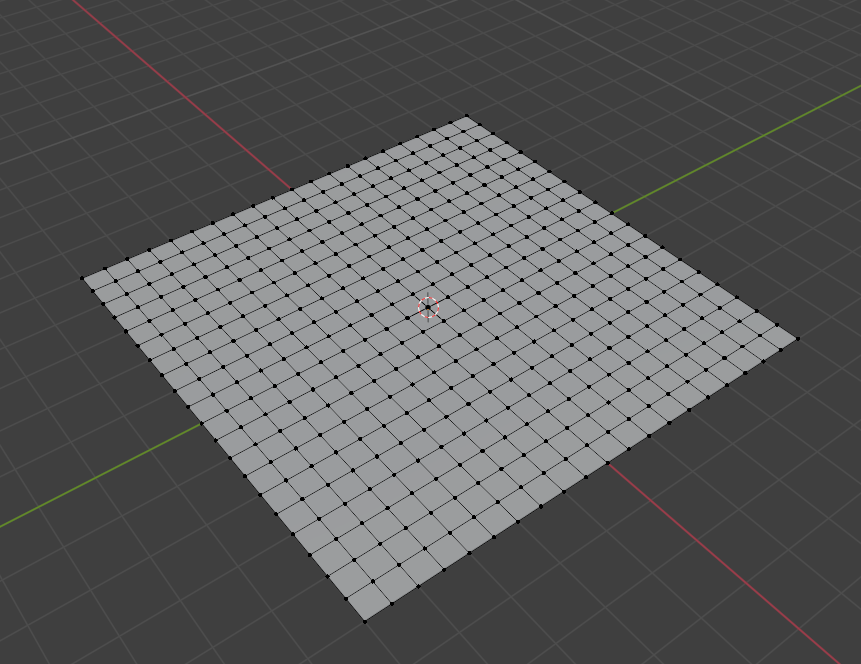
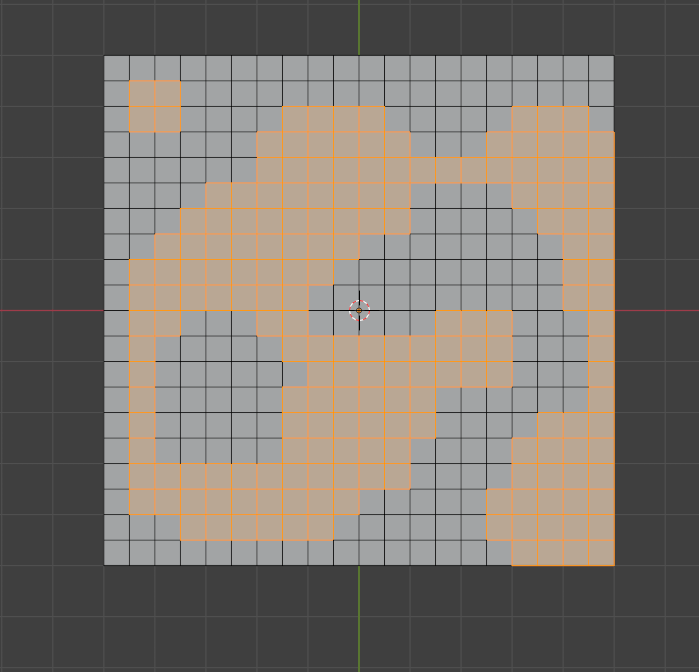
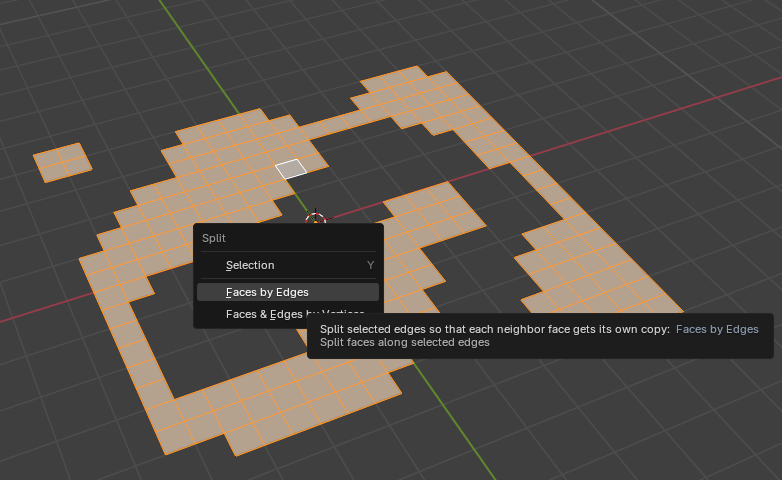
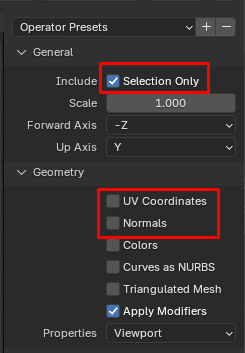
file -> export -> wavefront .obj
We dont need UV and normals
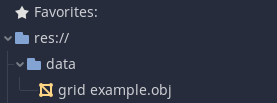
Read grid obj file
Inside of an obj file
If we open our .obj file we will see something like this:
# Blender 4.2.3 LTS
# www.blender.org
o Plane.001
v 5.000000 0.000000 3.000000
v 5.000000 0.000000 1.000000
v 3.000000 0.000000 3.000000
v -1.000000 0.000000 3.000000
...
v 4.500000 0.000000 1.500000
v 4.500000 0.000000 3.500000
v 4.500000 0.000000 3.500000
v 4.500000 0.000000 3.500000
s 0
f 742 254 255 353
f 739 256 257 371
f 736 312 310 619
f 732 315 13 111
f 729 316 302 394- v -> define vertex:
v x_coordinate y_coordinate z_coordinate - f -> define face:
f index V2_index V3_index V4_index
Code for read obj
pseudo code:
- Open obj file
- Read line
- if line starts with v, add to vertices_location
- if line starts with f, calculate middle point of quad and add to loc_points
- if line starts with something else or empty do not care
- Go to 2. step until reach the end of file
- Close obj file
real code:
var loc_points : PoolVector3Array  = []

# read grid points from obj file
func load_grid_data(file : String):
	loc_points = PoolVector3Array()

	# We create array for store vertices
	var vertices_location : PoolVector3Array  = [Vector3()]

	# read obj file line by line
	var f = File.new()
	f.open(file, File.READ)

	while not f.eof_reached():

		var line : String = f.get_line()
		if line.empty():
			continue

		match line[0]:
			'v': # lines with start v (vertex)
				var ap = line.substr(2).split_floats(' ') # delete prefix and split
#				print(ap)

				var vert_loc : Vector3 = Vector3(ap[0],ap[1],ap[2])
				vertices_location.push_back(vert_loc)

				pass
			'f': # lines with start f (face).
				var ap = line.substr(2).split_floats(' ') # delete prefix and split
#				print(ap)

				# vertex indices of four side of the quad
				var p0_index : int = ap[0]
				var p1_index : int = ap[1]
				var p2_index : int = ap[2]
				var p3_index : int = ap[3]

#				sum 4 points of the quad and divide to 4
#				for finding middle point of the quad (square)
				var point_loc : Vector3 = Vector3()
				point_loc += vertices_location[p0_index]
				point_loc += vertices_location[p1_index]
				point_loc += vertices_location[p2_index]
				point_loc += vertices_location[p3_index]
				point_loc /= 4 #sum all points and divide to four

				# push the result the global points array
				loc_points.push_back(point_loc)

				pass
			_: # we dont care other lines so we can pass
				pass

	f.close()

	return
Create other meshes and materials
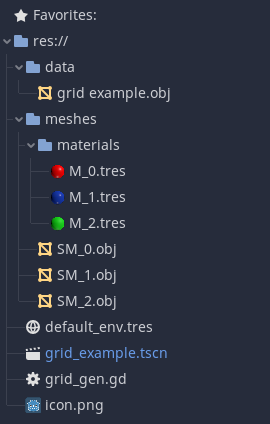
We need some meshes for our grid. (a cube, a torus, or maybe a monkey …)
Load Meshes
pseudo code:
- calculate paths
- load and set mesh and material
- create multimesh
- set transforms of the each instance
- create and add multimeshinstance to scene
real code:
onready var MESH_PATH = "res://meshes/"
onready var MATERIAL_PATH = "res://meshes/materials/"
var MESH_PREFIX = "SM_"
var MESH_POSTFIX = ".obj"
var MATERIAL_PREFIX = "M_"
var MATERIAL_POSTFIX = ".tres"


func load_building(building_index : int, count :int , mesh_path : String, material_path : String):
	if (count>loc_points.size()):
		count = loc_points.size()

	# create the path string of mesh and material
	var mesh_file_path : String = mesh_path + MESH_PREFIX + String(building_index) + MESH_POSTFIX
	var material_file_path : String = material_path + MATERIAL_PREFIX + String(building_index) + MATERIAL_POSTFIX

	# load mesh and material
	var building : ArrayMesh = load(mesh_file_path)
	var building_material : SpatialMaterial = load(material_file_path)
	building.surface_set_material(0,building_material)

	# initialize multimesh
	var multi_mesh = MultiMesh.new()
	multi_mesh.transform_format = MultiMesh.TRANSFORM_3D
	multi_mesh.color_format = MultiMesh.COLOR_NONE
	multi_mesh.custom_data_format = MultiMesh.CUSTOM_DATA_NONE

	multi_mesh.instance_count = count
	multi_mesh.visible_instance_count = count
	multi_mesh.mesh = building


	# set locations of meshes
	for i in count:
		var rand_num : int = rng.randi() % loc_points.size()
		multi_mesh.set_instance_transform(i, Transform(Basis(), loc_points[rand_num]))
		loc_points.remove(rand_num)


	# create and add multi mesh instance to current scene
	var multi_mesh_ins = MultiMeshInstance.new()
	multi_mesh_ins.set_multimesh(multi_mesh)
	add_child(multi_mesh_ins)

	pass
Why MultiMesh
Its definition:
“MultiMesh provides low-level mesh instancing. Drawing thousands of MeshInstance3D nodes can be slow, since each object is submitted to the GPU then drawn individually.
MultiMesh is much faster as it can draw thousands of instances with a single draw call, resulting in less API overhead.
As a drawback, if the instances are too far away from each other, performance may be reduced as every single instance will always render (they are spatially indexed as one, for the whole object)…”
https://docs.godotengine.org/en/stable/classes/class_multimesh.html
All code
extends Spatial


onready var GRID_DATA_FILE = "res://data/grid example.obj"
onready var MESH_PATH = "res://meshes/"
onready var MATERIAL_PATH = "res://meshes/materials/"
var MESH_PREFIX = "SM_"
var MESH_POSTFIX = ".obj"
var MATERIAL_PREFIX = "M_"
var MATERIAL_POSTFIX = ".tres"


var loc_points : PoolVector3Array  = []
var rng = RandomNumberGenerator.new()


# read grid points from obj file
func load_grid_data(file : String):
	loc_points = PoolVector3Array()

	# We create array for store vertices
	var vertices_location : PoolVector3Array  = [Vector3()]

	# read obj file line by line
	var f = File.new()
	f.open(file, File.READ)

	while not f.eof_reached():

		var line : String = f.get_line()
		if line.empty():
			continue

		match line[0]:
			'v': # lines with start v (vertex)
				var ap = line.substr(2).split_floats(' ') # delete prefix and split
#				print(ap)

				var vert_loc : Vector3 = Vector3(ap[0],ap[1],ap[2])
				vertices_location.push_back(vert_loc)

				pass
			'f': # lines with start f (face).
				var ap = line.substr(2).split_floats(' ') # delete prefix and split
#				print(ap)

				# vertex indices of four side of the quad
				var p0_index : int = ap[0]
				var p1_index : int = ap[1]
				var p2_index : int = ap[2]
				var p3_index : int = ap[3]

#				sum 4 points of the quad and divide to 4
#				for finding middle point of the quad (square)
				var point_loc : Vector3 = Vector3()
				point_loc += vertices_location[p0_index]
				point_loc += vertices_location[p1_index]
				point_loc += vertices_location[p2_index]
				point_loc += vertices_location[p3_index]
				point_loc /= 4 #sum all points and divide to four

				# push the result the global points array
				loc_points.push_back(point_loc)

				pass
			_: # we dont care other lines so we can pass
				pass

	f.close()

	return


func load_building(building_index : int, count :int , mesh_path : String, material_path : String):
	if (count>loc_points.size()):
		count = loc_points.size()

	# create the path string of mesh and material
	var mesh_file_path : String = mesh_path + MESH_PREFIX + String(building_index) + MESH_POSTFIX
	var material_file_path : String = material_path + MATERIAL_PREFIX + String(building_index) + MATERIAL_POSTFIX

	# load mesh and material
	var building : ArrayMesh = load(mesh_file_path)
	var building_material : SpatialMaterial = load(material_file_path)
	building.surface_set_material(0,building_material)

	# initialize multimesh
	var multi_mesh = MultiMesh.new()
	multi_mesh.transform_format = MultiMesh.TRANSFORM_3D
	multi_mesh.color_format = MultiMesh.COLOR_NONE
	multi_mesh.custom_data_format = MultiMesh.CUSTOM_DATA_NONE

	multi_mesh.instance_count = count
	multi_mesh.visible_instance_count = count
	multi_mesh.mesh = building


	# set locations of meshes
	for i in count:
		var rand_num : int = rng.randi() % loc_points.size()
		multi_mesh.set_instance_transform(i, Transform(Basis(), loc_points[rand_num]))
		loc_points.remove(rand_num)


	# create and add multi mesh instance to current scene
	var multi_mesh_ins = MultiMeshInstance.new()
	multi_mesh_ins.set_multimesh(multi_mesh)
	add_child(multi_mesh_ins)

	pass


# Called when the node enters the scene tree for the first time.
func _ready():
	# load our grid data
	load_grid_data(GRID_DATA_FILE)

	# create buildings
	for i in range(3):
		load_building(i,50,MESH_PATH,MATERIAL_PATH)

	pass
scene setup
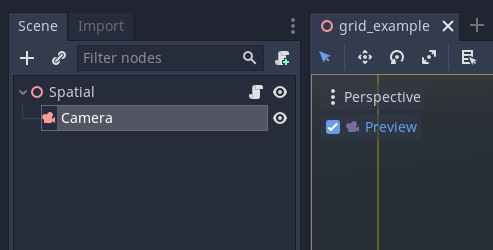
just a spatial node and script. Nothing more (I add a camera for the see result but it is not neccessary)
Leave a Reply