
Width & Height
- width : genişlik
- height : yükseklik
- max-width : olabilecek maksimum genişlik
- min-width : olabilecek en düşük genişlik
<head>
...
    <style>
        div.box{
            height: 65px;
            max-width: 800px;
            min-width: 600px;
            background-color: #555555;
        }
    </style>
</head>
<body>
    <div class="box"></div>
</body>
CSS Height&Width Values
The height and width properties may have the following values:
auto– This is default. The browser calculates the height and widthlength– Defines the height/width in px, cm, etc.%– Defines the height/width in percent of the containing blockinitial– Sets the height/width to its default valueinherit– The height/width will be inherited from its parent value
https://www.w3schools.com/css/css_dimension.asp
Display
- inline : içerik kadar satırda yer kaplar. Yükseklik ve genişlik verilemez.
- block : tüm satırı kaplar. Yükseklik genişlik verilebilir.
- inline-block : inline gibi davranı ama yükseklik ve genilşilk verilebilir.
<!DOCTYPE html>
<html lang="en">
<head>
    <meta charset="UTF-8">
    <meta name="viewport" content="width=device-width, initial-scale=1.0">
    <title>Document</title>
    <style>
        .box_red{
            display:inline;
            width:200px;
            height:200px;
            background-color: red;
        }
        .box_green{
            display:block;
            width:200px;
            height:200px;
            background-color: green;
        }
        .box_blue{
            display:inline-block;
            width:200px;
            height:200px;
            background-color: blue;
        }
    </style>
</head>
<body>
    <div class="box_red"><p>Lorem ipsum dolor sit.</p></div>
    <div class="box_red"><p>Lorem ipsum dolor sit.</p></div>
    <div class="box_green"><p>Lorem ipsum dolor sit.</p></div>
    <div class="box_green"><p>Lorem ipsum dolor sit.</p></div>
    <div class="box_blue"><p>Lorem ipsum dolor sit.</p></div>
    <div class="box_blue"><p>Lorem ipsum dolor sit.</p></div>
</body>
</html>
Box Model
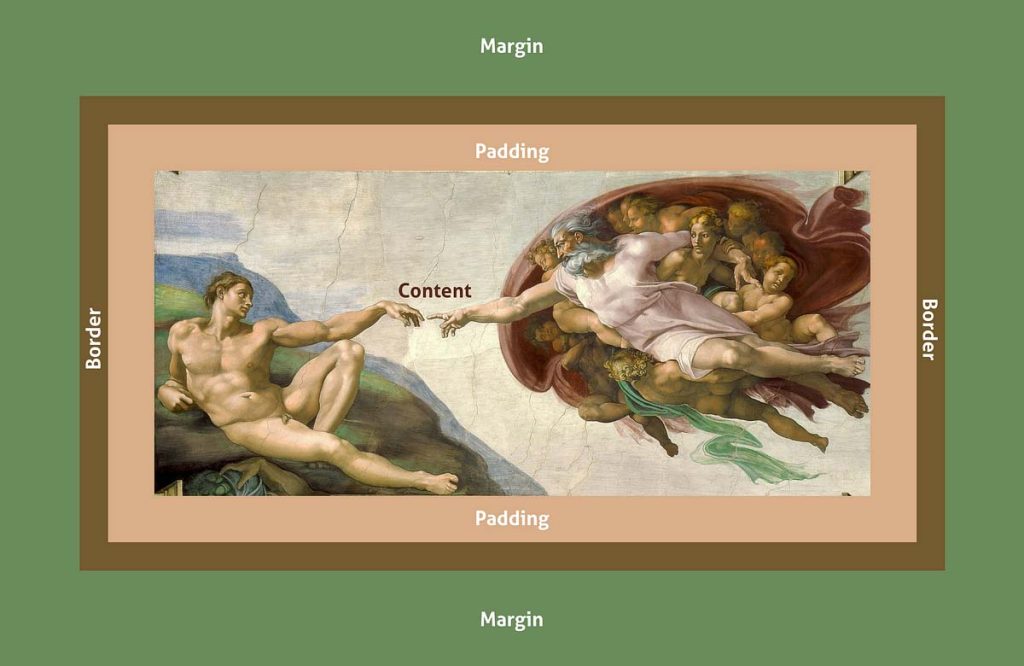
width + padding + border = actual width of an element
height + padding + border = actual height of an element
Eğer css de verdiğimiz yükseklik ve genişlik değerleri content’in yüksekliği ve genişliği değil de content+padding+border olsun istiyorsak:
box-sizing: border-box;Text Özellikleri
text-align: center;
text-align: left;
text-align: right;
text-align: justify;

letter-spacing: 5px

text-decoration: line-through;

text-transform: uppercase;
Leave a Reply